
Customize Forms & Flows Email Signature Template
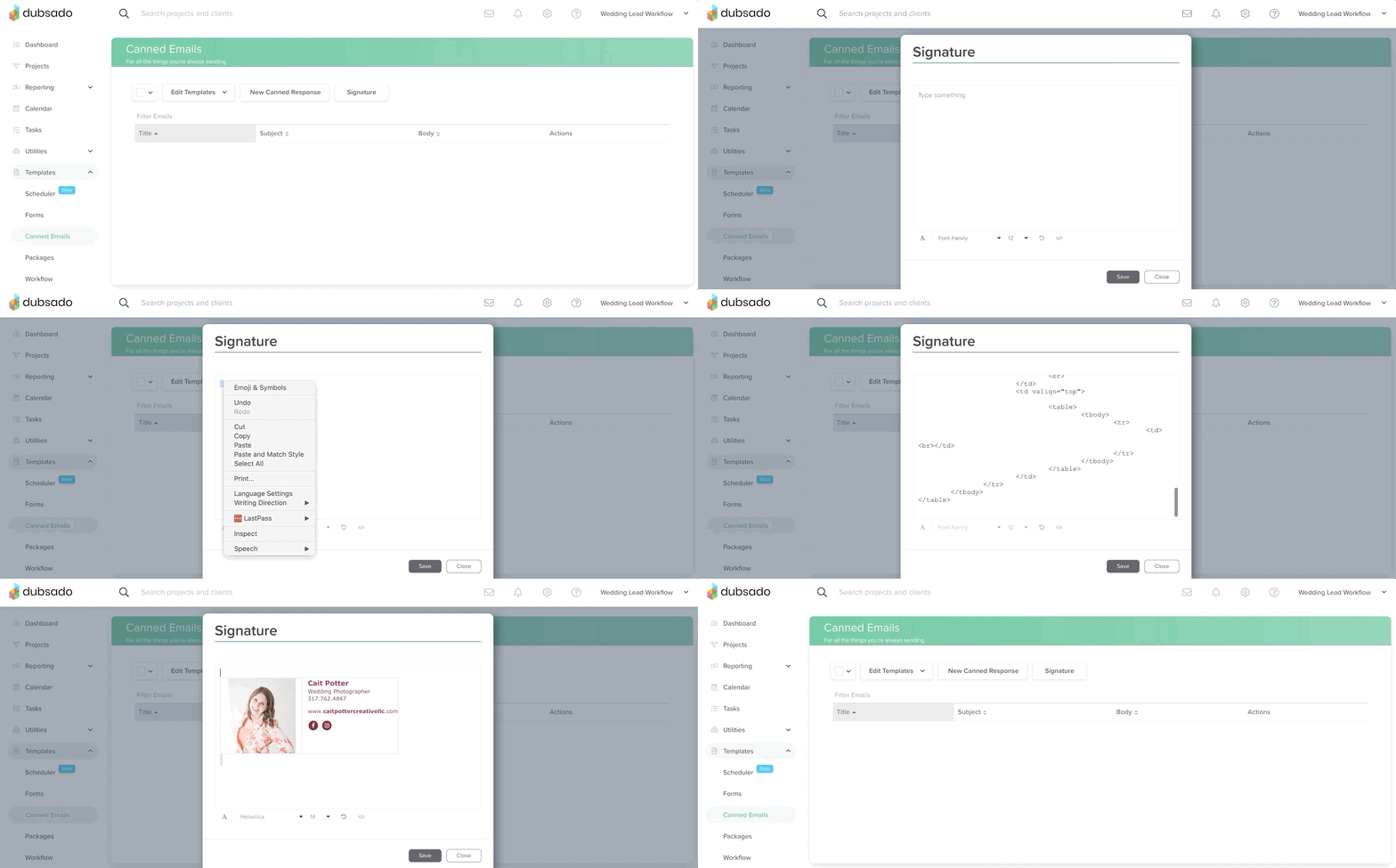
Step 1: Copy the code provided in your lesson.
Step 2: Paste in Dubsado
- Open Email Signature
- Open Code View
- Paste in to the code view
- Return to normal view
- Hit Save
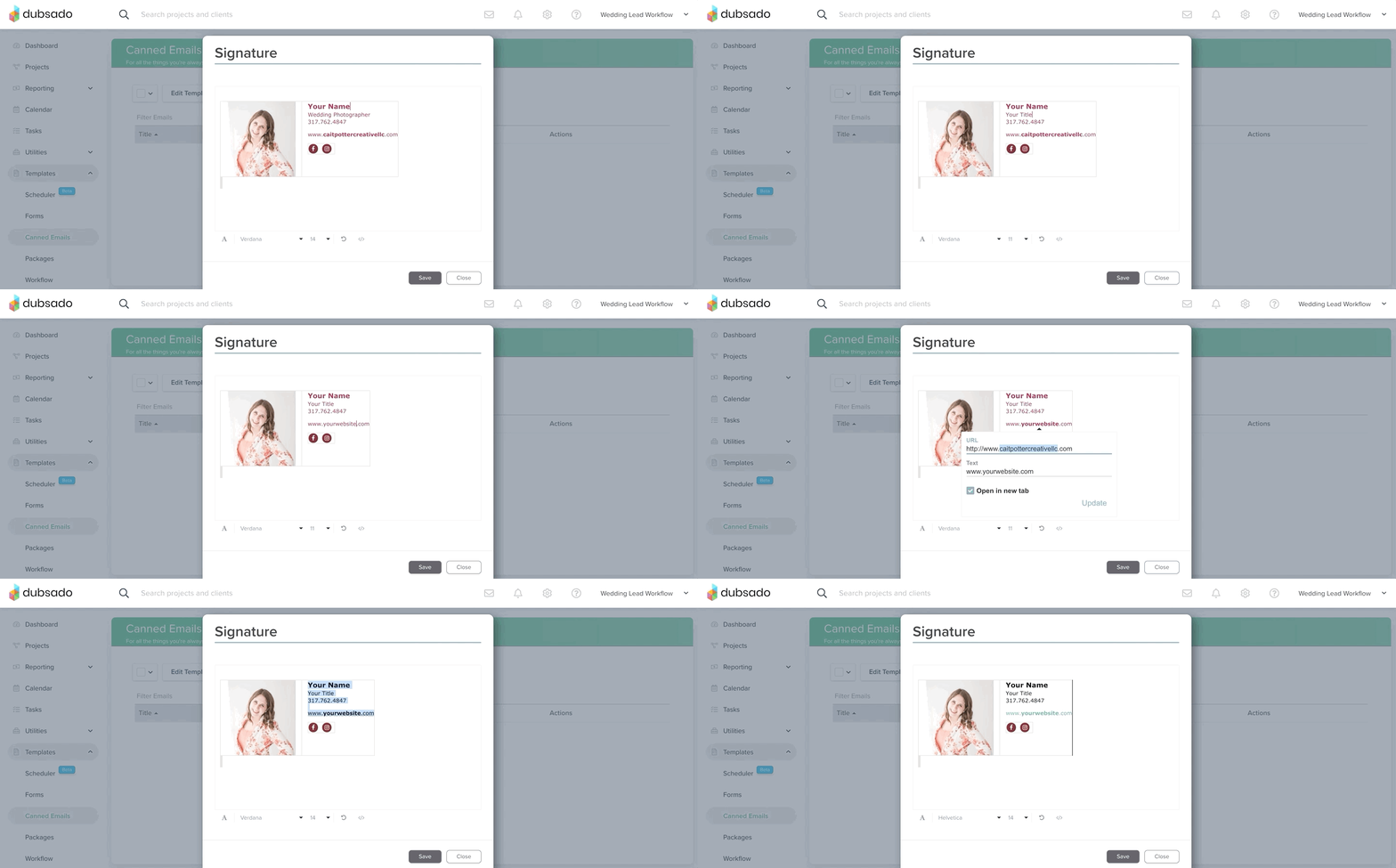
STEP 3: Update with Your Content
Re-open the email signature and carefully replace each of my elements (colors, photo, name, contact information, social media icons, etc.) with your own!
Make sure to re-hyperlink everything.
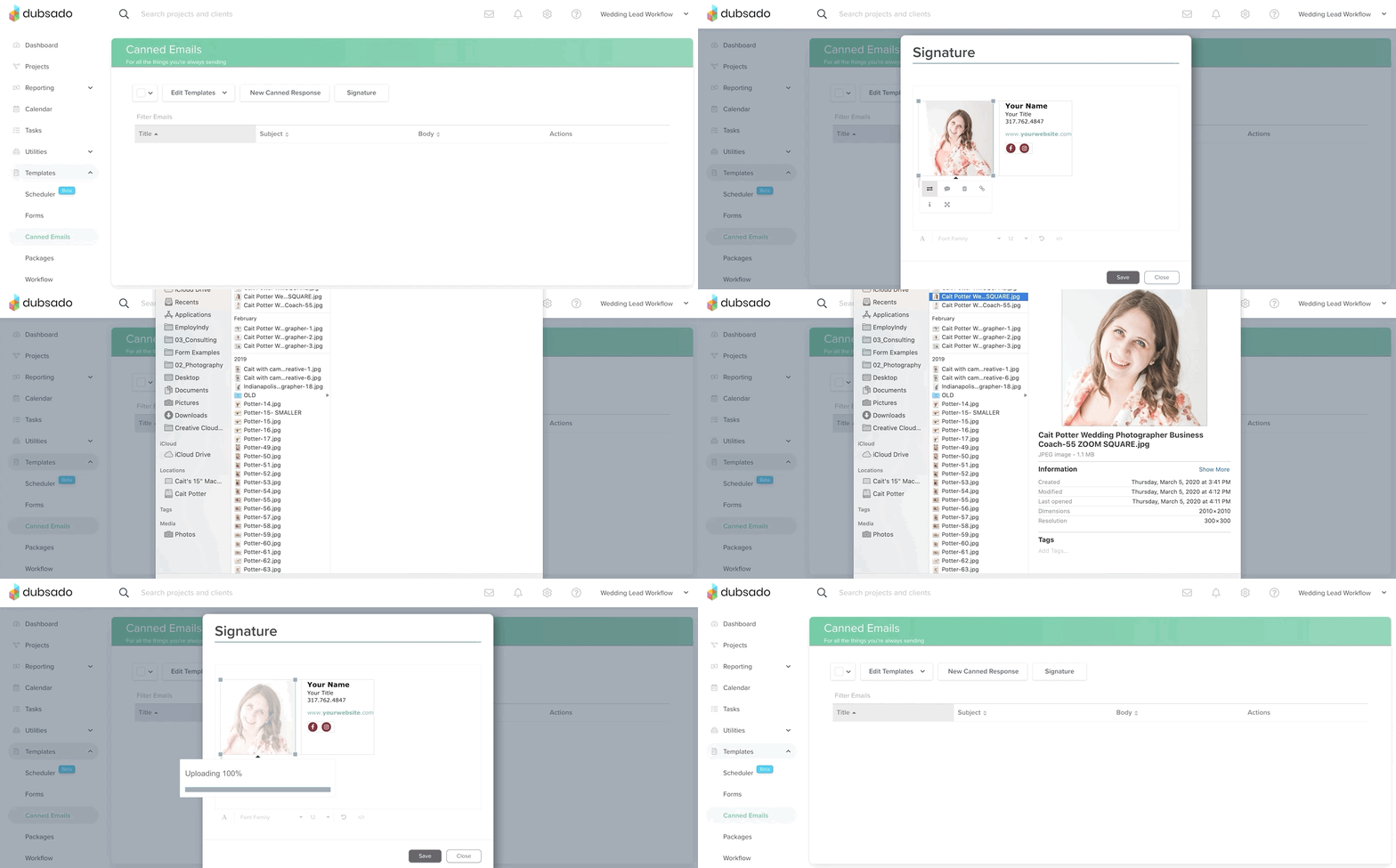
How to Replace the Photo
STEP 4: Hide Gridlines
You do not want the gridlines to appear in emails. To make sure they’re hidden:
- Copy and paste the entire signature into Dubsado.
- Click one of the table lines.
- Find the paintbrush icon.
- Select Hide/Show Border to ensure borders are hidden.
