
How to Find Product ID
Some MemberVault code snippets require a Product ID so the styling or functionality can be applied to a specific product.
Fortunately, Product IDs are easy to locate once you know where to look.
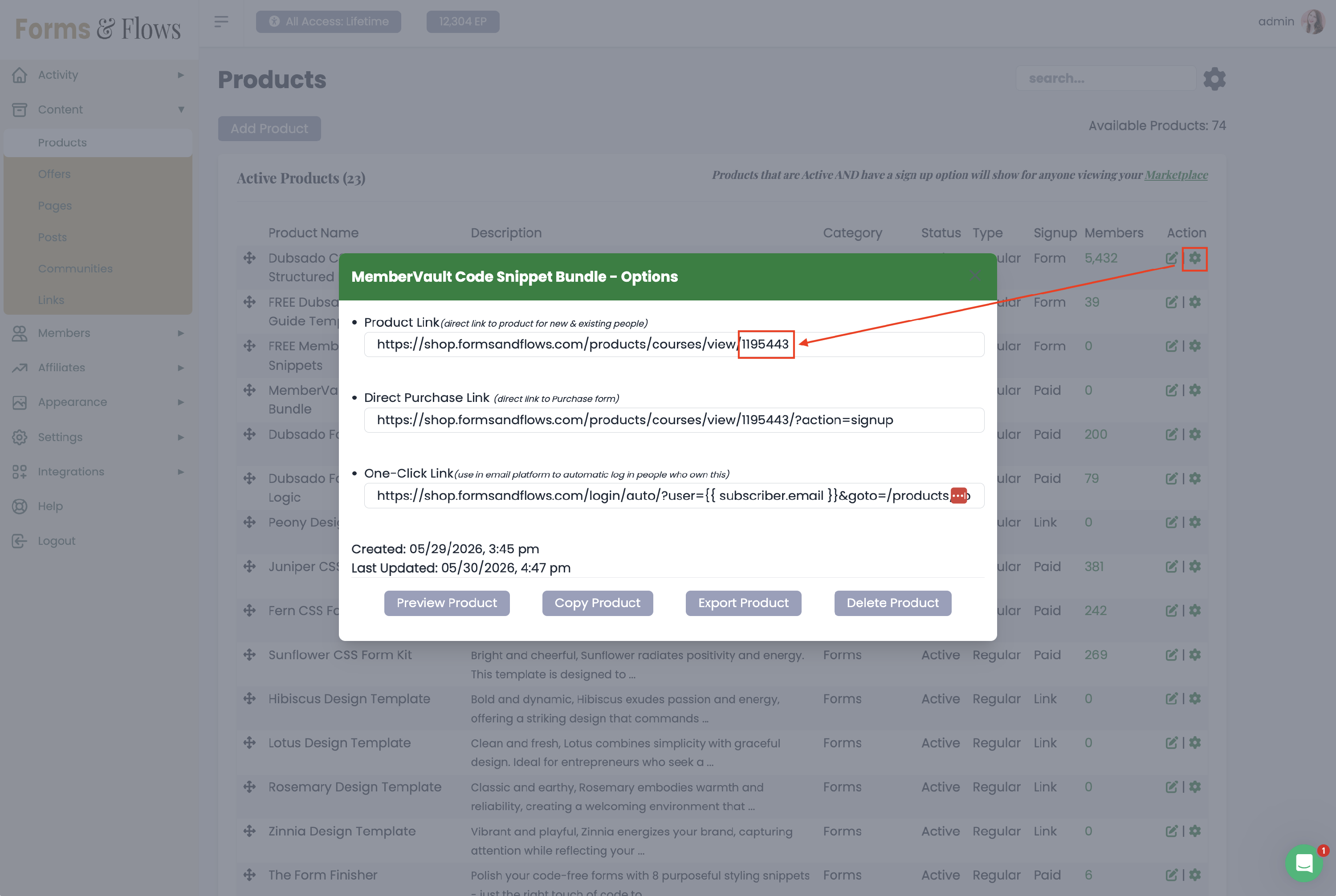
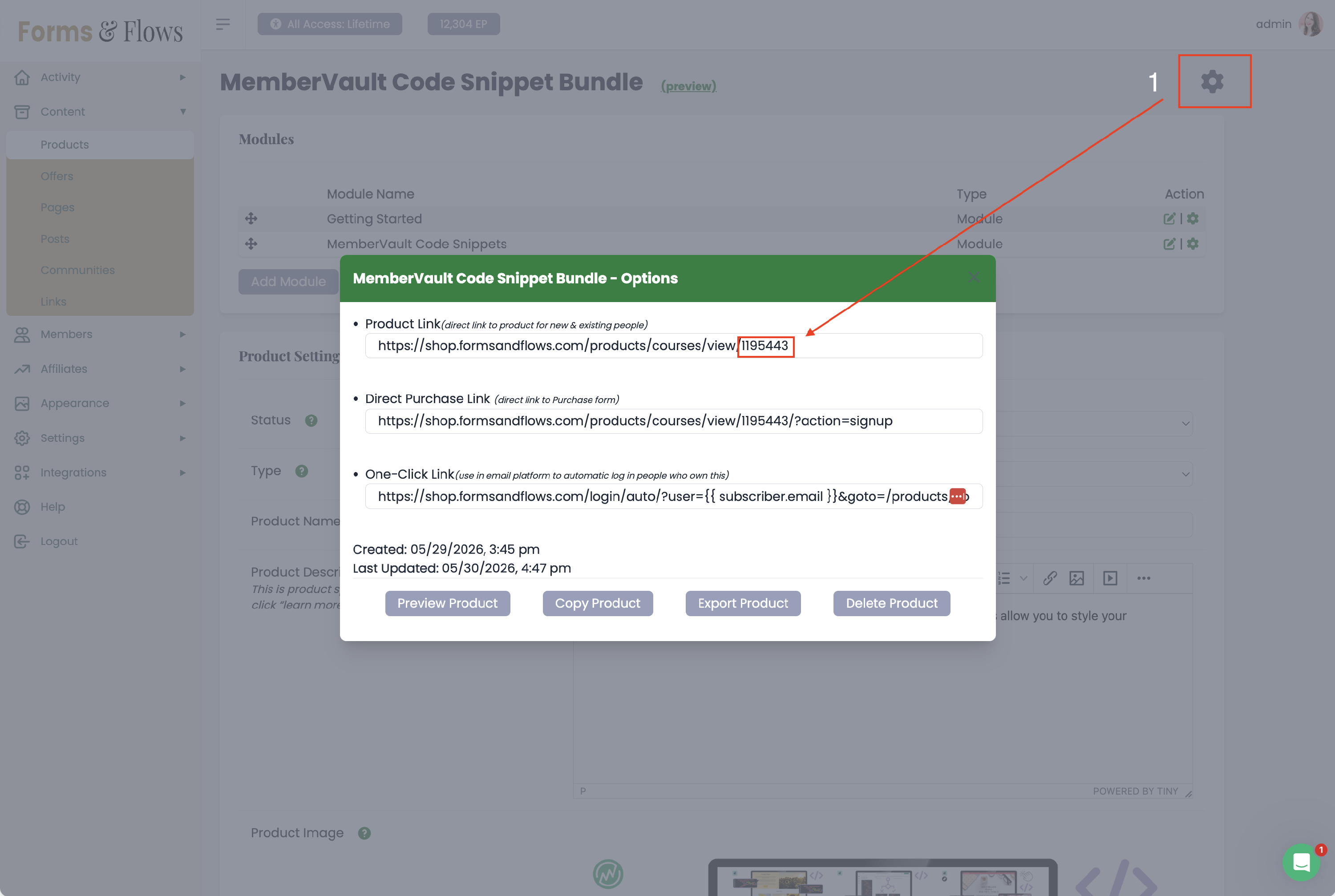
Step 1: Open the Product Settings
- Navigate to Products in your MemberVault admin area.
- Locate the product you'd like to customize.
- Click the gear icon next to the product name.
OPTION 1
OPTION 2
Step 2: Locate the Product Link
Inside the product settings, locate the Product Link.
The Product ID is the number at the end of that URL.
For example:
https://youraccount.membervault.com/product/1172128
In this example, the Product ID is:
1172128
Important
If you locate the URL while viewing a lesson or module, the number at the end of the URL may be a lesson ID or module ID instead of the Product ID.
To ensure you're getting the correct Product ID, always retrieve it from:
- the main Products list in MemberVault, or
- the main product page before clicking into any modules or lessons.
Do not use URLs from individual lessons or modules when looking for a Product ID.
Using the Product ID in CSS
Many MemberVault snippets target products using a class that follows this format:
.mv_product_1172128
Simply replace the example number with your own Product ID.
For example:
.mv_product_1172128 {
  grid-column: span 2;
}
This would apply the styling only to that specific product.
Targeting Multiple Products
You can target multiple products by separating Product IDs with commas.
For example:
.mv_product_1172128,
.mv_product_1193879 {
  grid-column: span 2;
}
This would apply the styling to both products.
💡 Tip: Product IDs never change, even if you update the product name, image, pricing, or content. Once you've identified a Product ID, you can continue using it in future CSS and Javascript snippets whenever you need to target that specific product.
How to Find a Product ID in MemberVault